Export a whole Jira project to CSV or JSON, then archive or trash it
The per-project export Jira Cloud never shipped: every issue with fields, comments, changelog, links, and worklogs, then an optional, heavily guarded decommission. Runs entirely on Atlassian.
This app answers a request that has been open on Atlassian's public tracker for years:
JRACLOUD-34307,
"Single project export (offline backup, re-importable)", with 1,030 votes.
The gap
"Export a single project" is one of the longest-standing asks on the Jira Cloud tracker (JRACLOUD-34307, over 1,000 votes). Jira can export a filtered issue search to CSV, but there is no one-click backup of a whole project with its fields, comments, changelog, links, and worklogs together. Migrations, compliance evidence, and clean decommissions all start with that missing file.
What it does
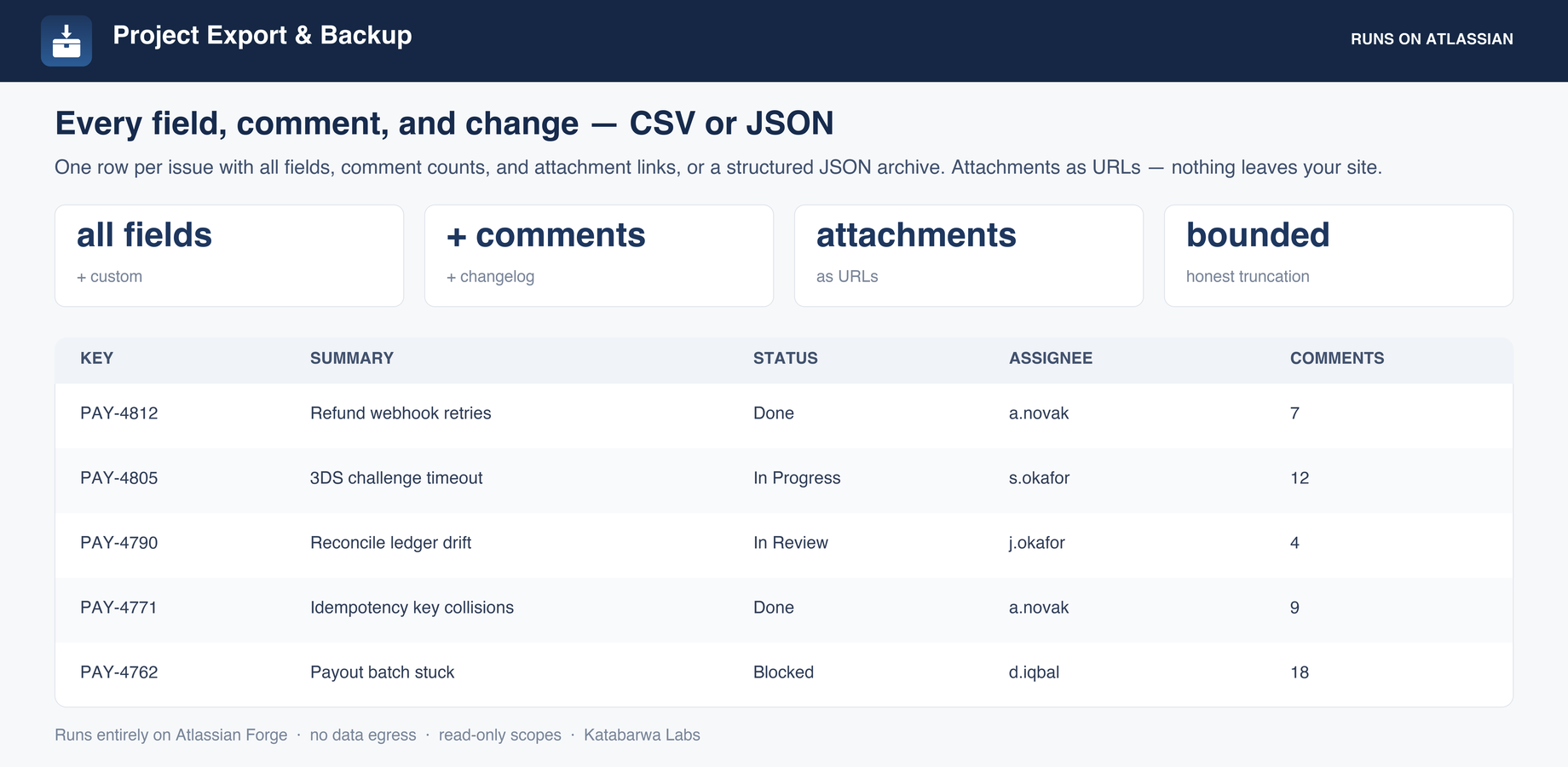
Pick any project you can read, choose CSV (one row per issue) or JSON (structured, re-import friendly), and download straight from your browser.
Captures core and custom fields, comments, worklogs, changelog size, issue links, and attachments as URLs with metadata.
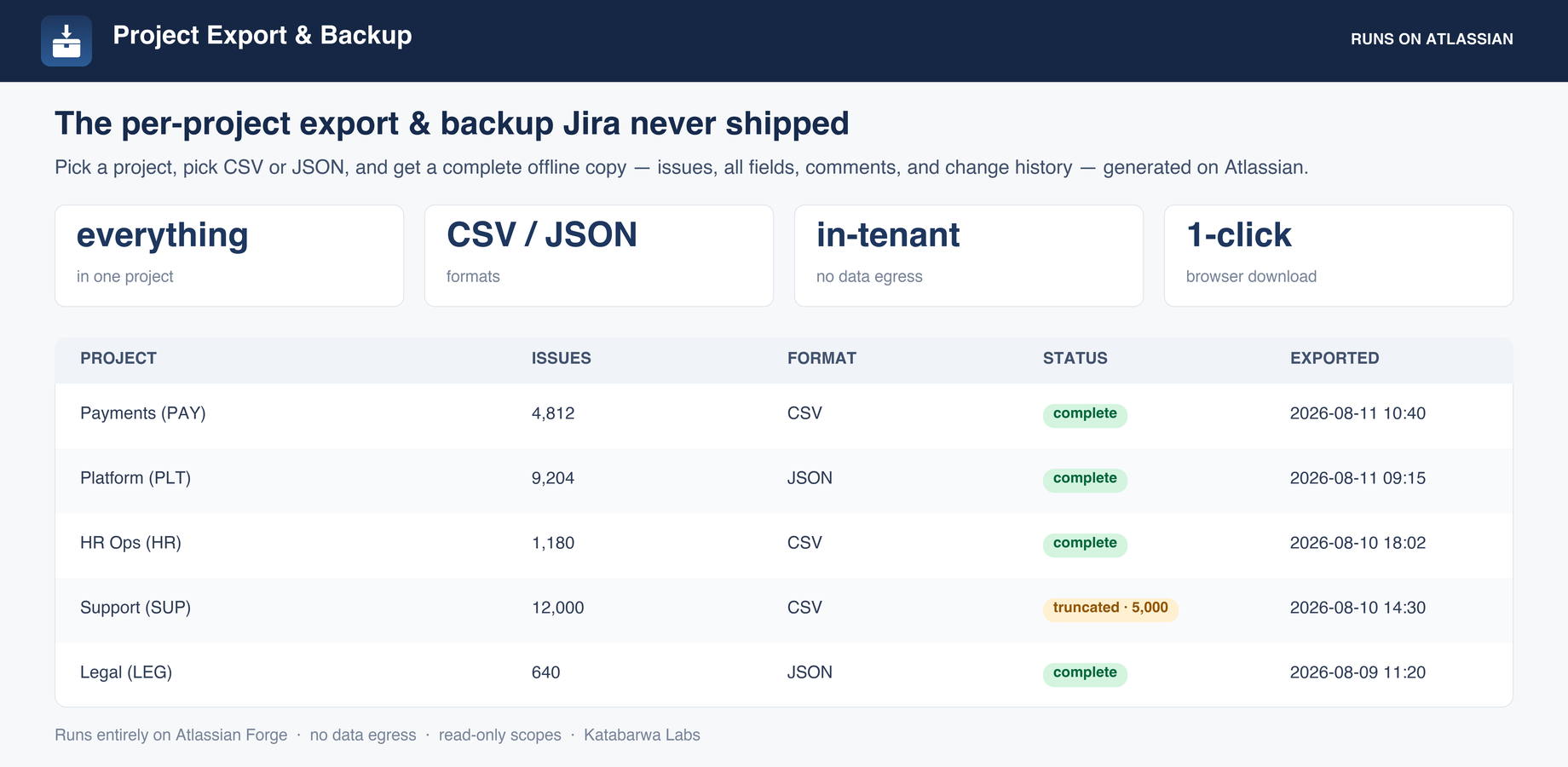
Every export ships with a manifest: project, issue count, generated timestamp, exported field list, and a truncation flag.
Rolling export history, so you can see what was backed up and when.
Optional decommission: archive (Jira Premium) or trash the project, only after a complete export from the last 7 days.
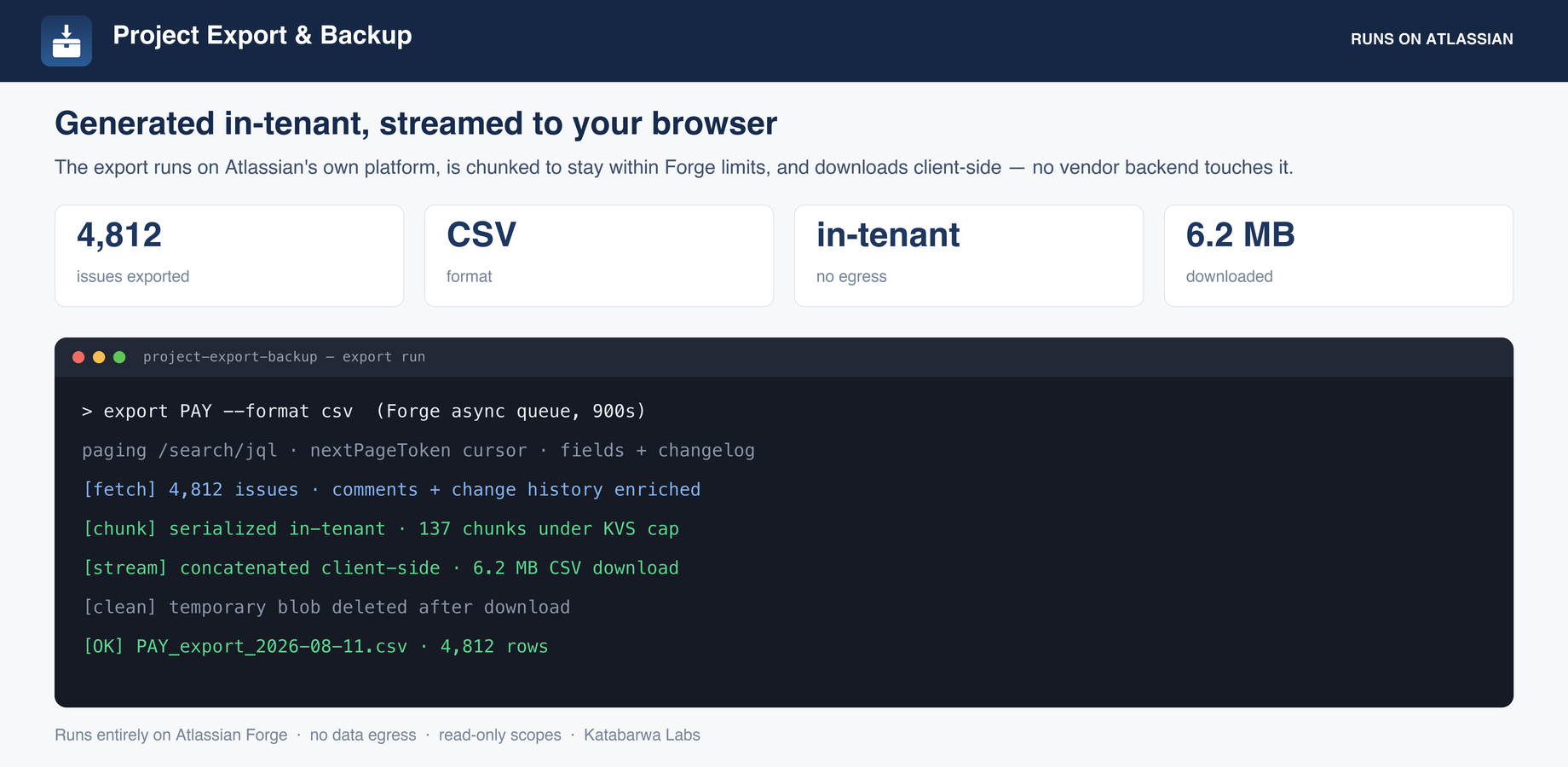
Generated on Atlassian Forge and streamed to the browser in chunks; no vendor backend touches the data.
Export history: every project backed up, its format, issue count, status, and whether it was truncated.One row per issue with all fields, comment counts, and attachment links, or a structured JSON archive.The export run: paged on Atlassian, chunked under Forge limits, streamed to your browser.
60-second walkthrough
Honest about its limits
Attachments are exported as URLs and metadata, not binary files. This is an issue, comment, and changelog export, not a file archive.
Each export is bounded to a maximum number of issues per run. A larger project is exported up to the cap and flagged as truncated, so you always know exactly what you got.
Archiving a project requires Jira Premium or Enterprise; on other plans an archive run is skipped with a clear reason. Trash is recoverable for 60 days, after which Jira deletes the project permanently.
The one write path, honestly scoped: Archive or trash a project, one per run, never in bulk. Preview is the default and changes nothing. It requires a complete export from the last 7 days, an explicit choice of archive versus trash, typing the project key to confirm, and a live re-check that the project has not gained issues since the backup. Every run ends as done, skipped with a reason, or failed, and the outcome is recorded against the export that justified it.
Security & permissions
Built on Atlassian Forge: the app runs on Atlassian's own serverless platform inside your
tenant and stores its data in Forge storage.
It makes no external network calls. Every scope it requests, and why:
read:jira-work
issues, comments, worklogs, changelog, and links for the export
read:jira-user
assignee and reporter names in the export
storage:app
export history, in-flight status, and the temporary export blob, in your tenant
manage:jira-project
the opt-in archive action, nothing else
manage:jira-configuration
the opt-in trash action, nothing else
The native feature it builds on
Atlassian's own documentation for what Jira does out of the box, so you can see exactly where the gap is:
No. The app runs on Atlassian Forge inside your own tenant with zero external egress,
which makes it eligible for Atlassian's Runs on Atlassian trust marker.
How is it billed?
Through the Atlassian Marketplace, on your existing Atlassian bill, priced per user like
any Cloud app. The listing has a free evaluation and the exact calculator for your tier.