Issue templates and default field values on the Jira create screen, plus recurring issues
Save any issue as a template with its subtasks, pre-fill empty fields on the create screen per project and issue type, and create recurring issues on a schedule.
This app answers a request that has been open on Atlassian's public tracker for years:
JRACLOUD-4812,
"Default values of system fields", with 2,798 votes.
The gap
JRACLOUD-4812, "default values of system fields", was opened in 2004 and has 2,798 votes. Jira Cloud still has no way to start an issue with the fields a team sets the same way every time, no native issue template, and no recurring issue. Automation can set fields after creation, which works but happens a second too late to help the person filling the form, and leaves an automation edit on every issue.
What it does
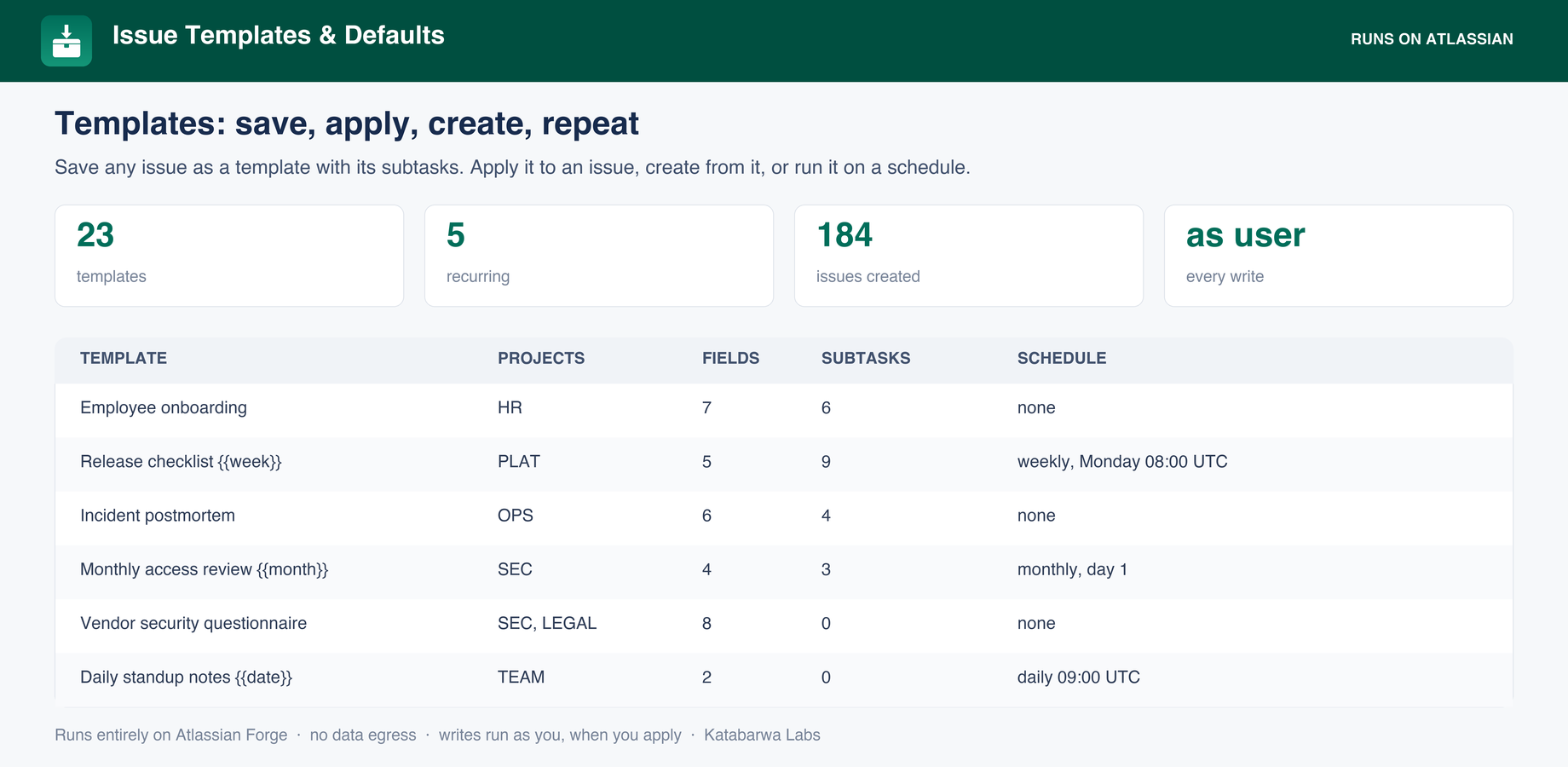
Save any issue as a template, with its field values and its subtasks, from the issue actions menu.
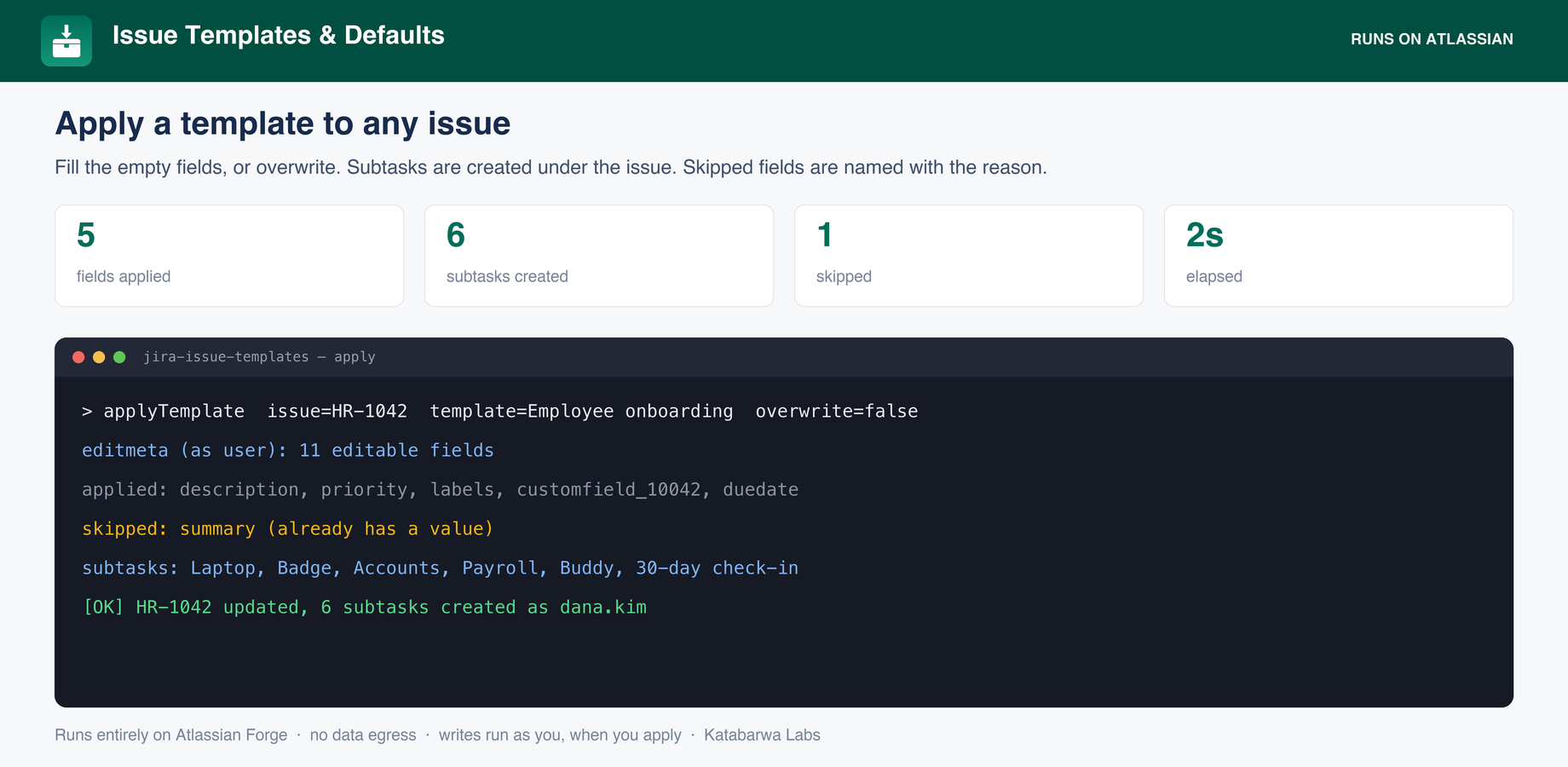
Apply a template to an existing issue or create a new issue from one. Fill only empty fields, or overwrite.
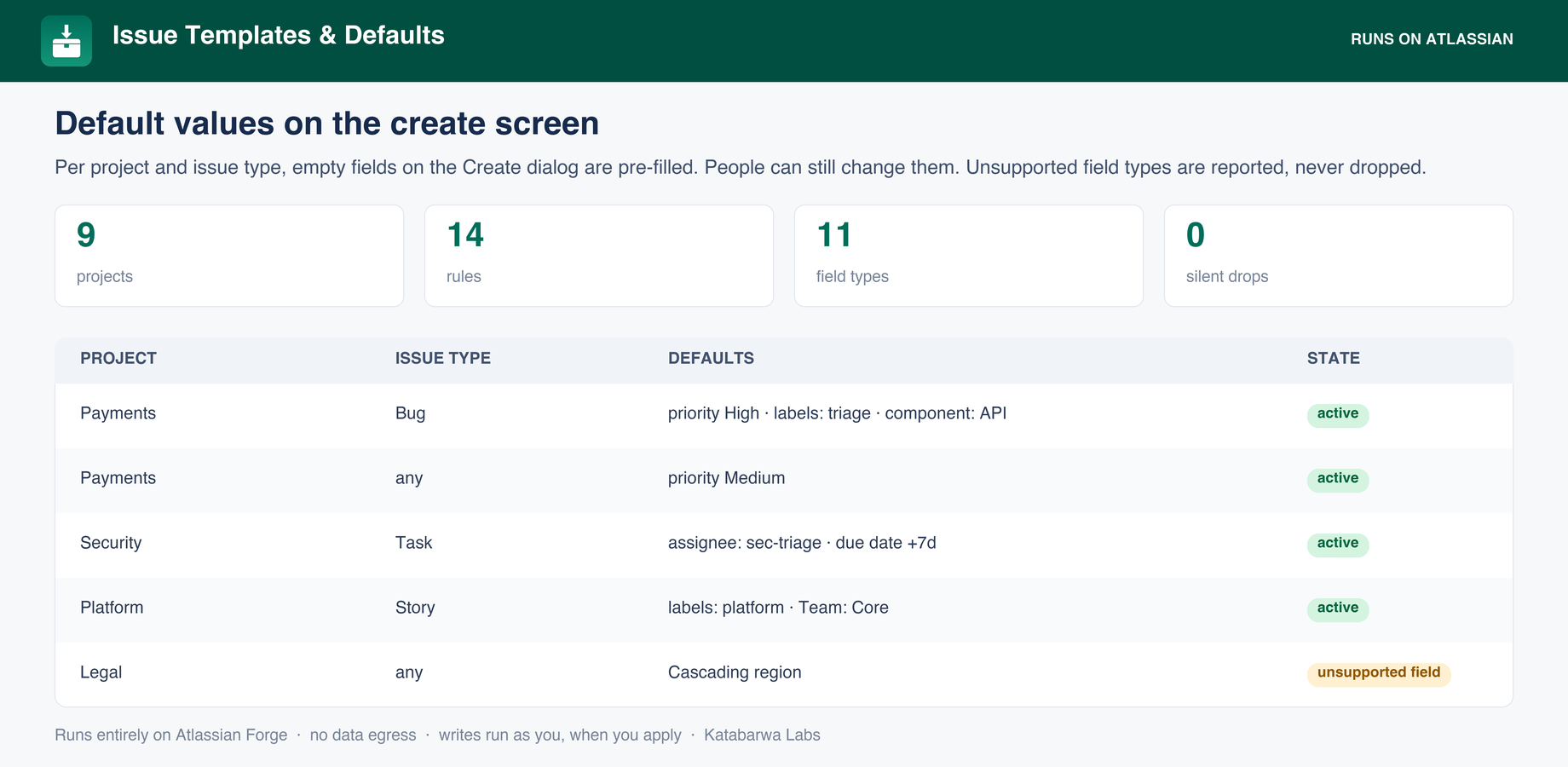
Default field values on the Create screen, per project and issue type, set before the person starts typing rather than patched in afterwards.
Unsupported field types are reported when you save a defaults rule, never silently dropped.
Recurring issues on a daily, weekly or monthly cadence, created on an hourly tick.
Skipped fields are named with the reason, so an apply that does less than you expected explains itself.
The template library: templates, the projects they belong to, their field and subtask counts, and any recurring schedule.Create-screen defaults per project and issue type, including the rule whose field type cannot be pre-filled, reported rather than dropped.Applying a template to an issue: which fields were written, which were skipped and why, and the subtasks created.
Honest about its limits
Defaults are applied through Jira's UI modifications API, which covers the Global Issue Create dialog. Field types outside that API cannot be pre-filled, and a rule that uses one is flagged at save time.
Recurring issues are created by the app on an hourly tick, so a schedule fires within the hour after its due time rather than to the minute.
The one write path, honestly scoped: Applying a template, creating from one and saving defaults all write. When a person triggers the write it runs as that person, with their permissions and their name in the issue history. Only recurring creation runs as the app, because no person is present.
Security & permissions
Built on Atlassian Forge: the app runs on Atlassian's own serverless platform inside your
tenant and stores its data in Forge storage.
It makes no external network calls. Every scope it requests, and why:
read:jira-work
issues, fields and subtasks to build and apply templates
write:jira-work
applying a template and creating issues
read:app-data:jira / write:app-data:jira
registering the create-screen UI modification
storage:app
templates, rules and schedules, entirely in your tenant
The native feature it builds on
Atlassian's own documentation for what Jira does out of the box, so you can see exactly where the gap is:
No. The app runs on Atlassian Forge inside your own tenant with zero external egress,
which makes it eligible for Atlassian's Runs on Atlassian trust marker.
How is it billed?
Through the Atlassian Marketplace, on your existing Atlassian bill, priced per user like
any Cloud app. The listing has a free evaluation and the exact calculator for your tier.