Page approval workflow for Confluence with version-pinned sign-off and an audit trail
Request, approve and reject pages with per-space approvers and a quorum, a state badge on every page, and automatic invalidation when an approved page is edited.
This app answers a request that has been open on Atlassian's public tracker for years:
CONFCLOUD-6373,
"Page approval workflow", with 560 votes.
The gap
CONFCLOUD-6373 asks for page approval workflows and has 560 votes. Confluence Cloud has version history, which tells you that a page changed and who changed it, and nothing about whether anyone signed it off. The usual workarounds fail for one shared reason: a label or a table at the top of the page records approval against the page rather than against a version of it, so the record keeps saying approved after the page has moved on.
What it does
Approval pinned to a version. The record says approved at v12, not approved.
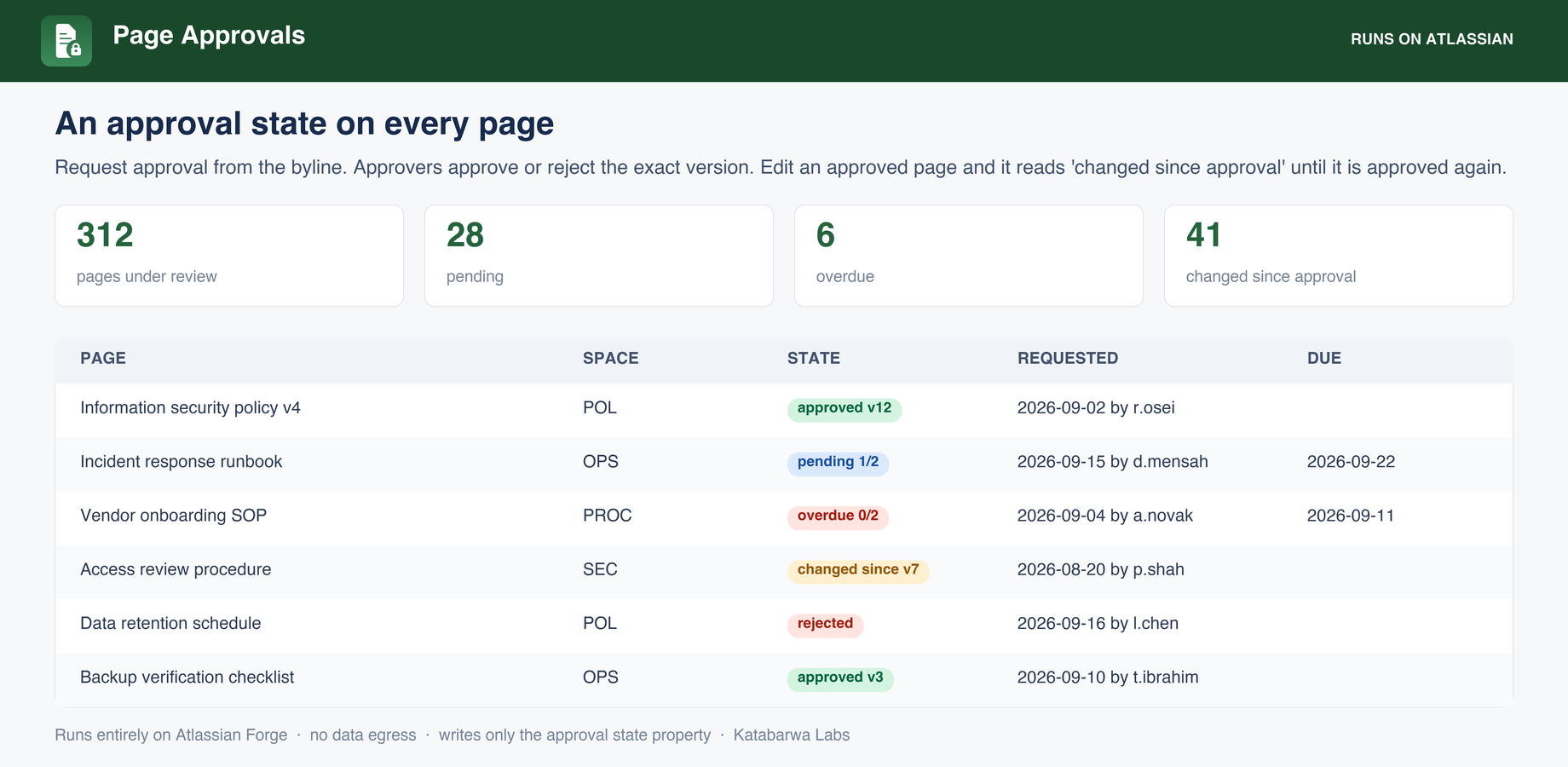
Automatic invalidation: when the page version passes the approved one the state becomes changed since approval, with nobody having to remember.
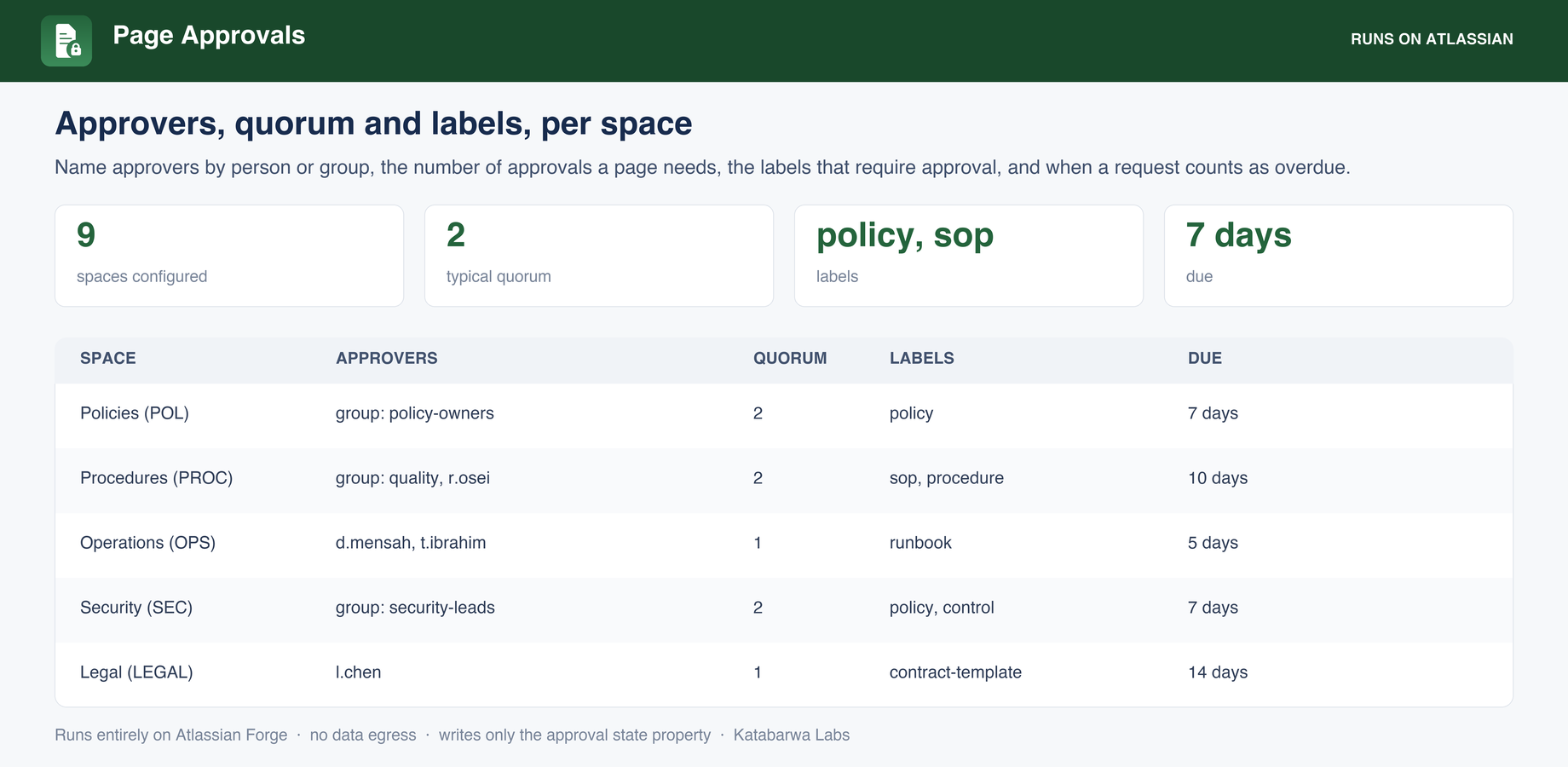
Per-space approvers by person or group, a quorum of distinct approvers, and no self-approval unless you allow it.
A byline badge on every page, so the state is visible to whoever is reading it.
Dashboard of pending, overdue and stale pages across spaces, with due dates.
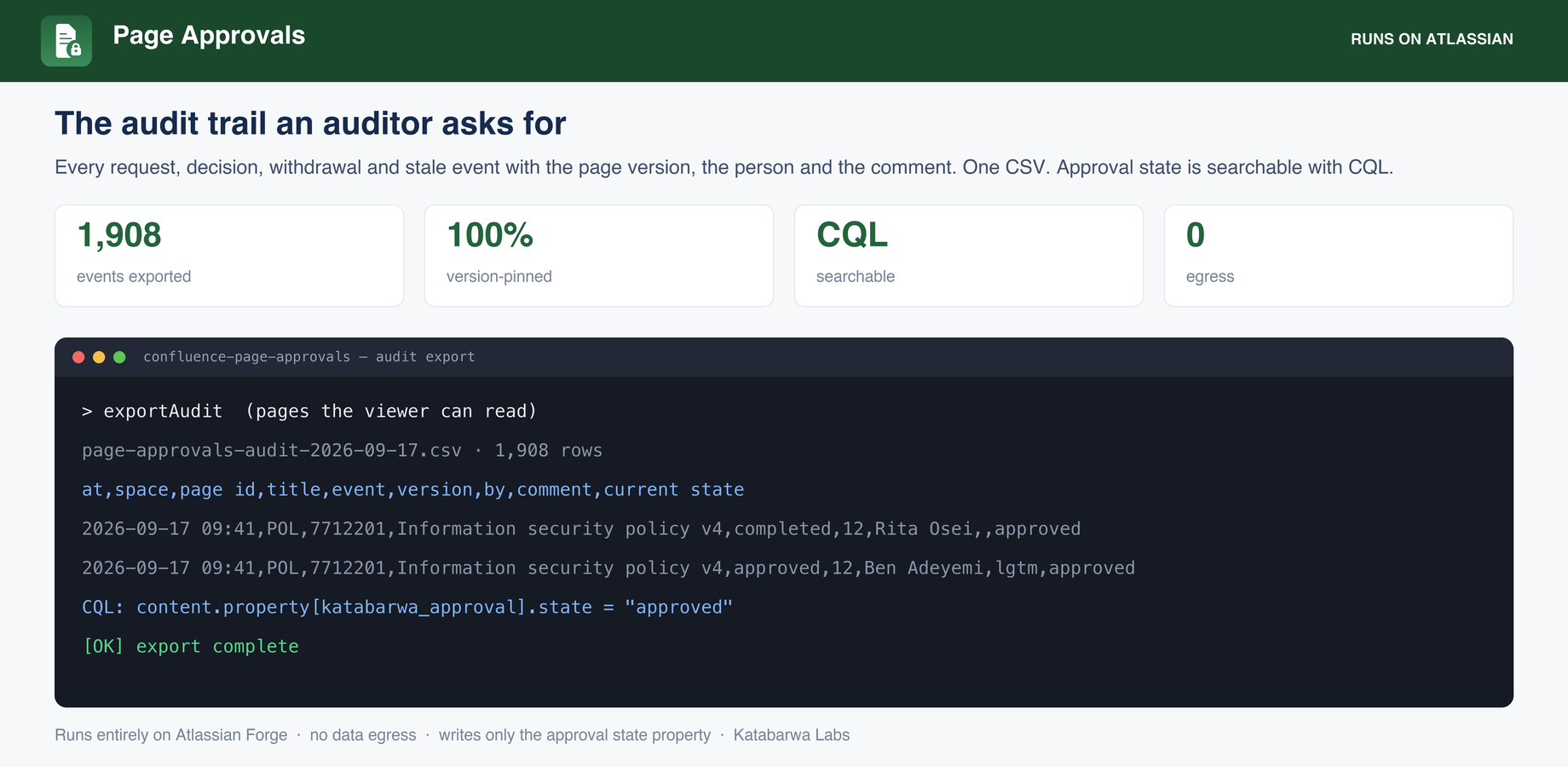
Approval state is an indexed content property, so CQL can find approved pages.
Audit CSV: every request, decision, withdrawal and stale event with the page version, the person and the comment.
Every page under review with its state, the space, who requested it and when it is due, including approved, pending, overdue, rejected and changed since approval.Per-space configuration: approvers by person or group, the quorum a page needs, the labels that require approval, and the overdue threshold.The audit export an auditor asks for: one row per event, version-pinned, plus the CQL that finds approved pages.
Honest about its limits
Reminders are not emailed. The app makes no outbound call at all, which is what lets it run entirely on Atlassian, so the dashboard's overdue view is the reminder.
The CQL property can lag the badge. The page-updated trigger runs with no user, and on some sites the app identity cannot write a page property in that context, so the searchable value catches up on the next action someone takes on the page. The badge, the dashboard and the audit CSV read the record directly and are always current.
The one write path, honestly scoped: The app writes approval state as a content property on the page, and nothing else. It never edits page bodies.
Security & permissions
Built on Atlassian Forge: the app runs on Atlassian's own serverless platform inside your
tenant and stores its data in Forge storage.
It makes no external network calls. Every scope it requests, and why:
read:confluence-content.all
page titles, versions and space context
write:confluence-props
the approval state stored on the page as a content property
read:confluence-user
approver identity for the record and the CSV
storage:app
approval records and space configuration, entirely in your tenant
The native feature it builds on
Atlassian's own documentation for what Confluence does out of the box, so you can see exactly where the gap is:
No. The app runs on Atlassian Forge inside your own tenant with zero external egress,
which makes it eligible for Atlassian's Runs on Atlassian trust marker.
How is it billed?
Through the Atlassian Marketplace, on your existing Atlassian bill, priced per user like
any Cloud app. The listing has a free evaluation and the exact calculator for your tier.