Send a Jira issue to Claude Code or Codex in your own CI, and get the pull request back on the ticket
One button on the issue fires your GitHub Actions or GitLab CI. The agent runs with your API key on your runners, and the PR link and status come back to the issue.
The assign-to-agent connectors on the Marketplace run the agent on the vendor's infrastructure, speak GitHub only, ignore the base branch, and make you type the repository into a chat box every time. Engineering teams that want ticket-to-PR automation end up choosing between a vendor holding their code and keys, or no automation at all. GitLab shops get no choice.
What it does
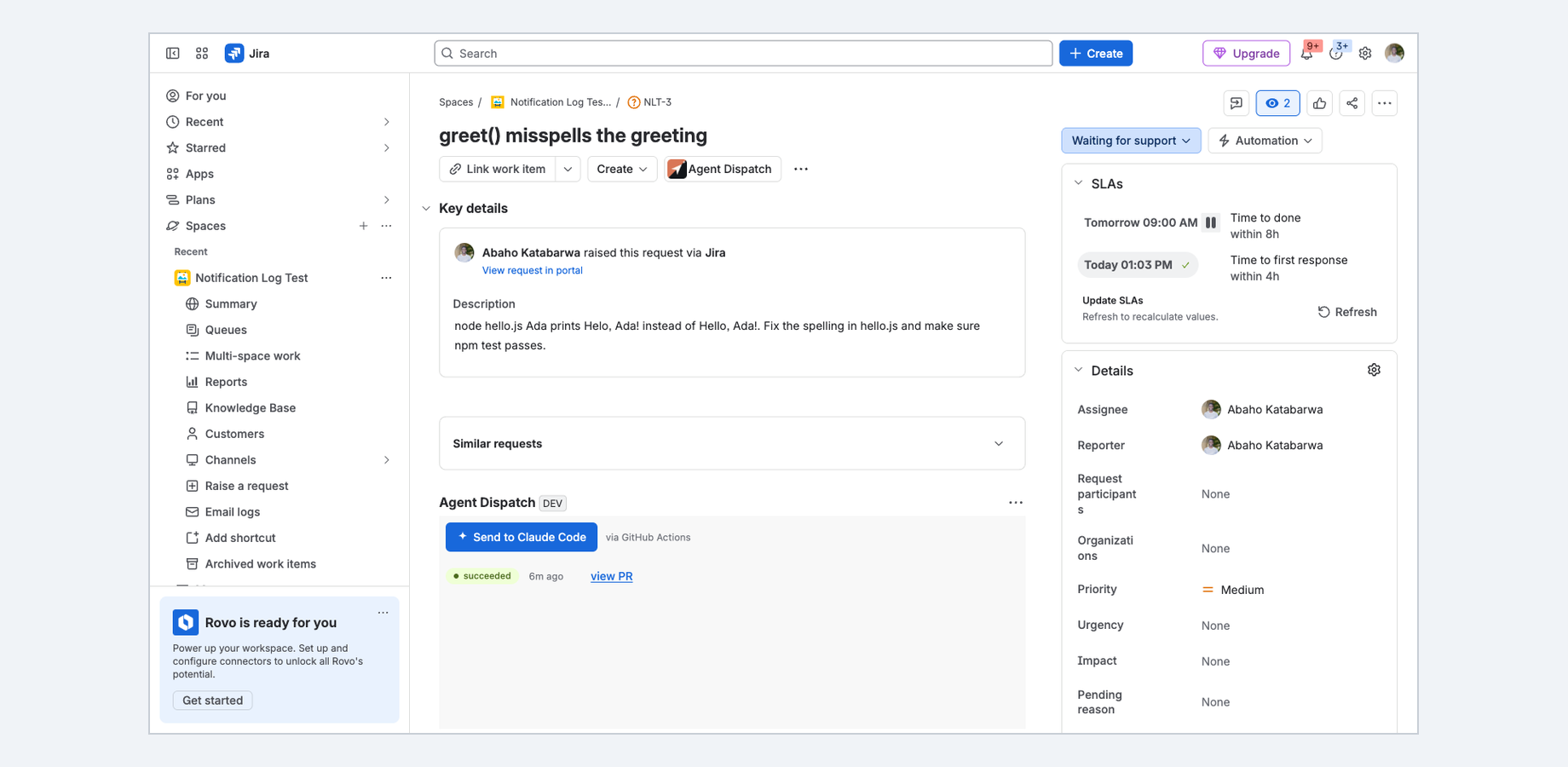
Send to agent button in the issue panel, with live run status (queued, running, succeeded, failed) and a history of runs for that issue.
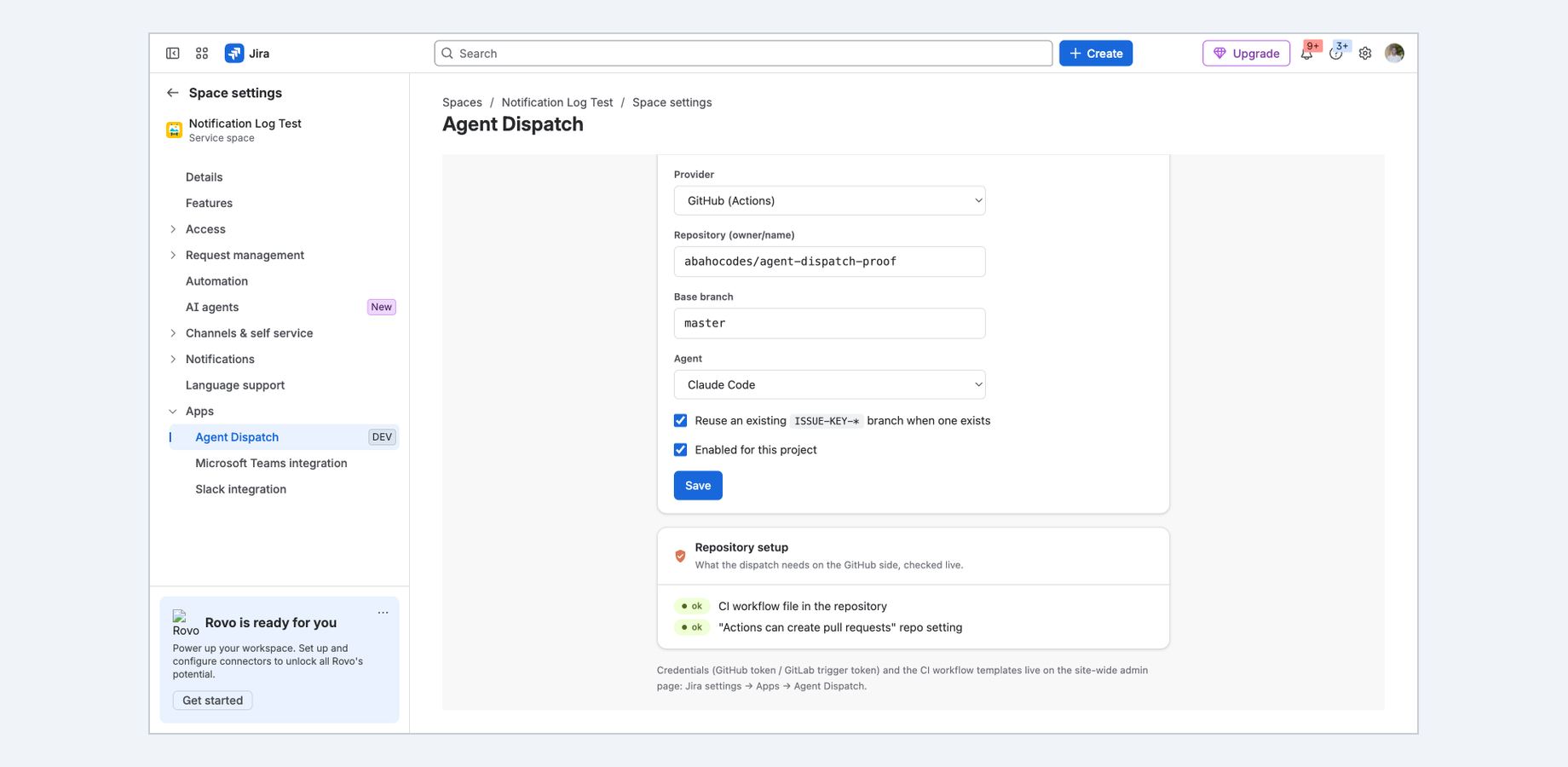
Configured once per project: repository, base branch, provider and agent live in Project settings, not in the request.
GitHub Actions via repository_dispatch and GitLab CI via pipeline trigger tokens. Same button, same payload, same result flow.
Ready-made workflow templates for Claude Code and Codex: paste one file into the repo, add your API key as a CI secret, done.
Reuses an existing ISSUE-KEY branch when one exists instead of cutting a new one.
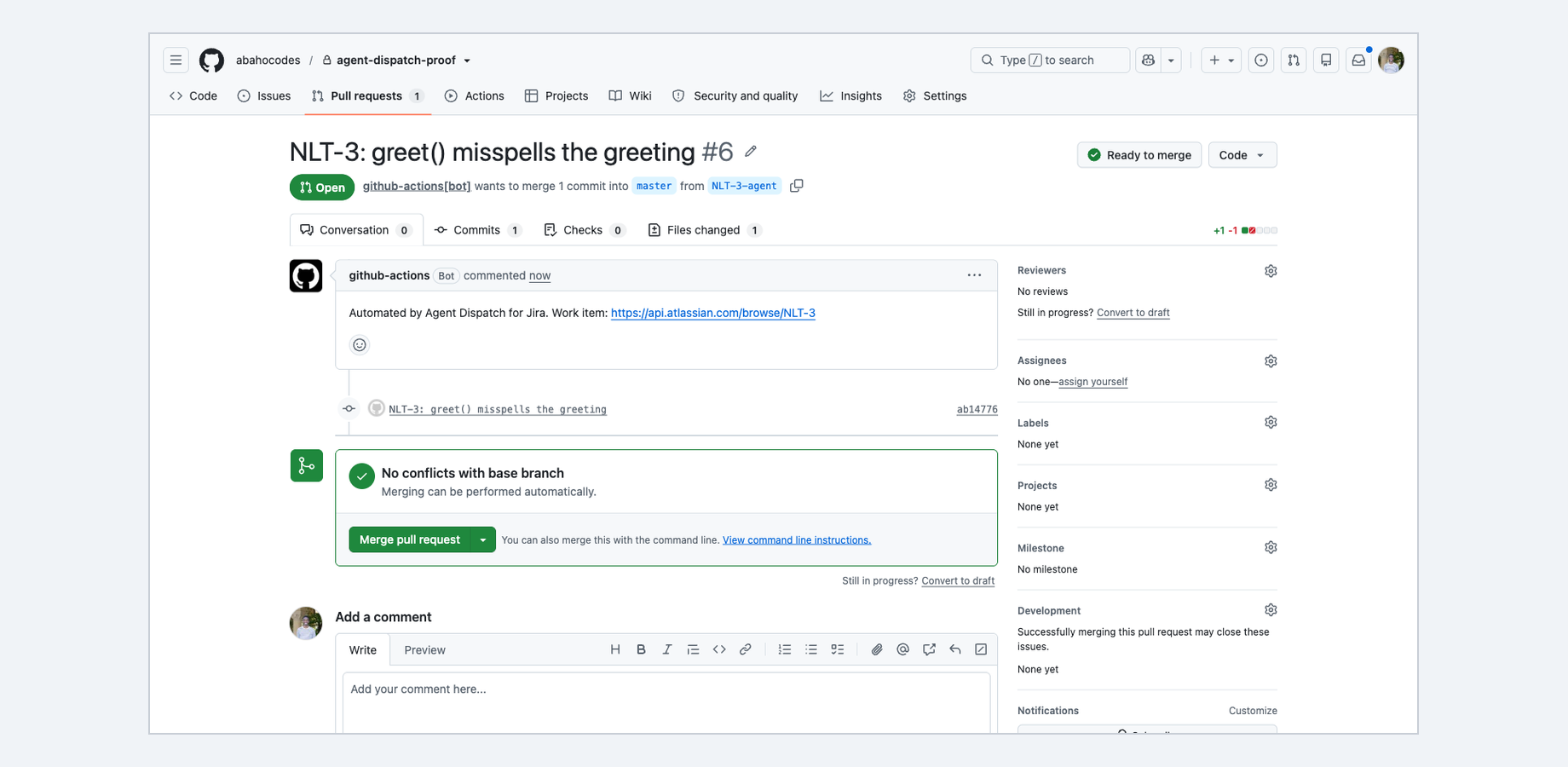
The PR or MR link and outcome come back on the issue as a panel update and a comment.
Governance an admin can sign off on: site-wide daily run cap, per-project allowlist, and an audit log of every dispatch with CSV export.
The issue panel: one click sends the work item to your CI, and the run status and pull request link come back on the issue.Project settings: repository, base branch, provider and agent, configured once, with a live check of the repository setup.The result: a pull request opened by your own GitHub Actions, on your base branch, ready to review.
60-second walkthrough
Honest about its limits
This app has network egress by design: it calls api.github.com and gitlab.com to start your pipeline. It is therefore not in the Runs on Atlassian program, unlike the rest of our portfolio.
Self-managed GitHub Enterprise Server and self-hosted GitLab are not supported yet; Forge egress is declared per domain.
There is no native "assign to agent" slot in Jira for third-party apps. The panel button and the result comment are the equivalent.
The CI job reports back through a per-run, single-use token. It never holds Jira credentials.
Claude Code is a trademark of Anthropic, PBC. Codex is a trademark of OpenAI. Names are used only to state compatibility; the app is not affiliated with Anthropic, OpenAI, GitHub or GitLab.
The one write path, honestly scoped: On each dispatch the app writes one comment on the originating issue with the outcome and the PR or MR link. It never edits fields, transitions issues or touches other issues.
Security & permissions
Built on Atlassian Forge: the app runs on Atlassian's own serverless platform inside your
tenant and stores its data in Forge storage.
Its network calls are declared in the manifest and limited by Forge to api.github.com and gitlab.com; no other destination is reachable. What leaves your tenant is the summary and description of an issue someone explicitly dispatched, sent to the CI pipeline you configured for that project. Nothing is sent anywhere else, and we host no servers. Every scope it requests, and why:
read:jira-work
the summary, description and key of the issue being dispatched, and the issue panel context
write:jira-work
the one result comment written back onto the originating issue
storage:app
project mappings, governance settings, run records and the audit log; CI credentials in Forge secret storage, write-only
The native feature it builds on
Atlassian's own documentation for what Jira does out of the box, so you can see exactly where the gap is:
Only to systems you own. The app runs on Atlassian Forge inside your tenant and calls api.github.com and gitlab.com, nothing else. What leaves is the summary and description of an issue someone explicitly dispatched, sent to the CI pipeline you configured for that project. Nothing is sent anywhere else, and we host no servers.
How is it billed?
Through the Atlassian Marketplace, on your existing Atlassian bill, priced per user like
any Cloud app. The listing has a free evaluation and the exact calculator for your tier.