Katabarwa Labs
← All apps

Jira · Access Snapshot & Drift

Prove who could access a Jira project on any past date

Daily snapshots of who can access every project, retained long-term, diffed for drift, and revertable when access creeps.

Runs entirely on Atlassian Forge inside your own tenant. No external servers, no data egress.

The gap

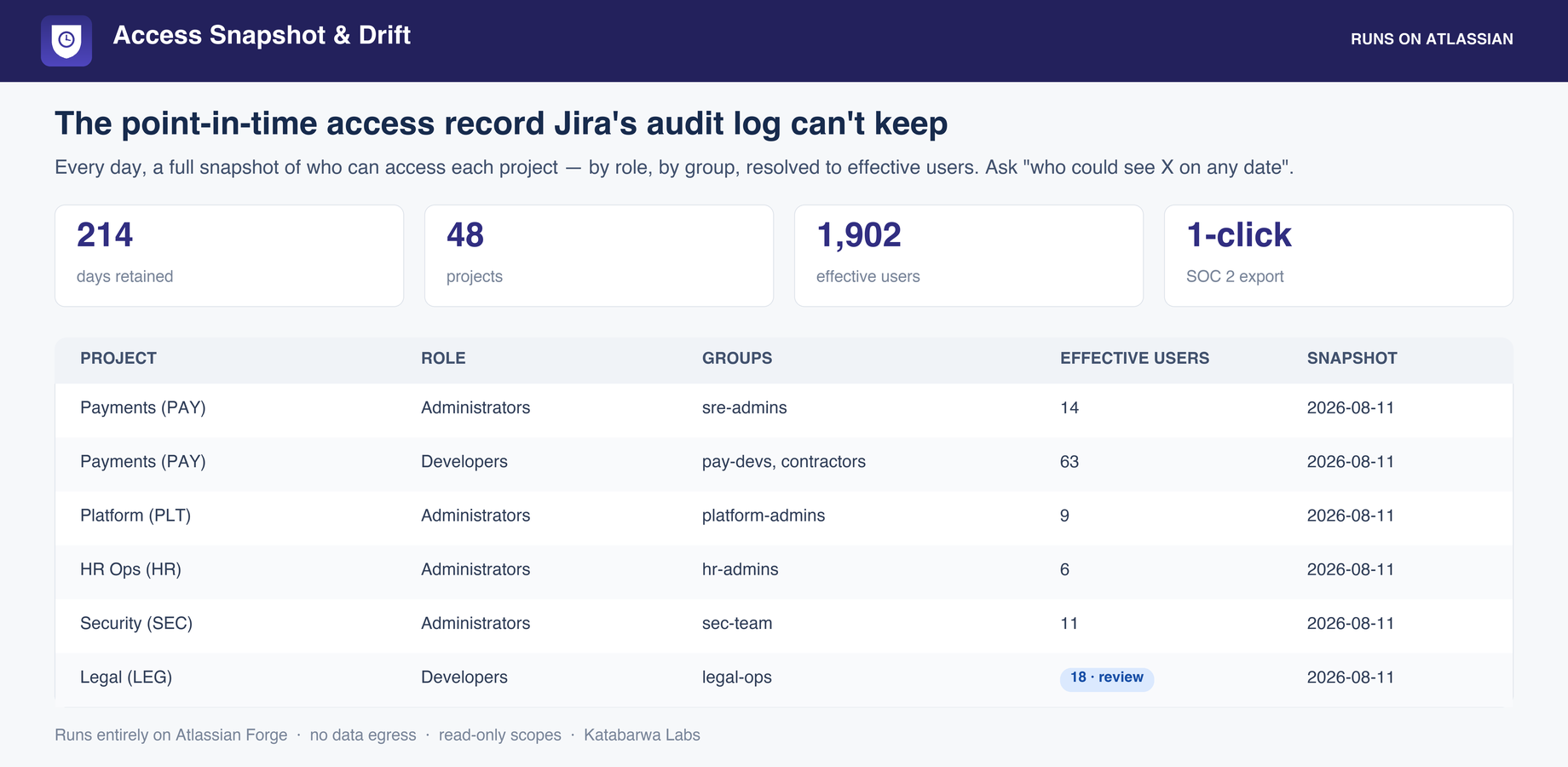
An auditor asks "show me everyone who could access the Payments project on March 3rd." Jira shows access as it is right now; the audit log retains roughly 180 days and records change events, not point-in-time rosters. Past that window, the question is unanswerable.

What it does
Pick any retained date and read its access matrix back verbatim.
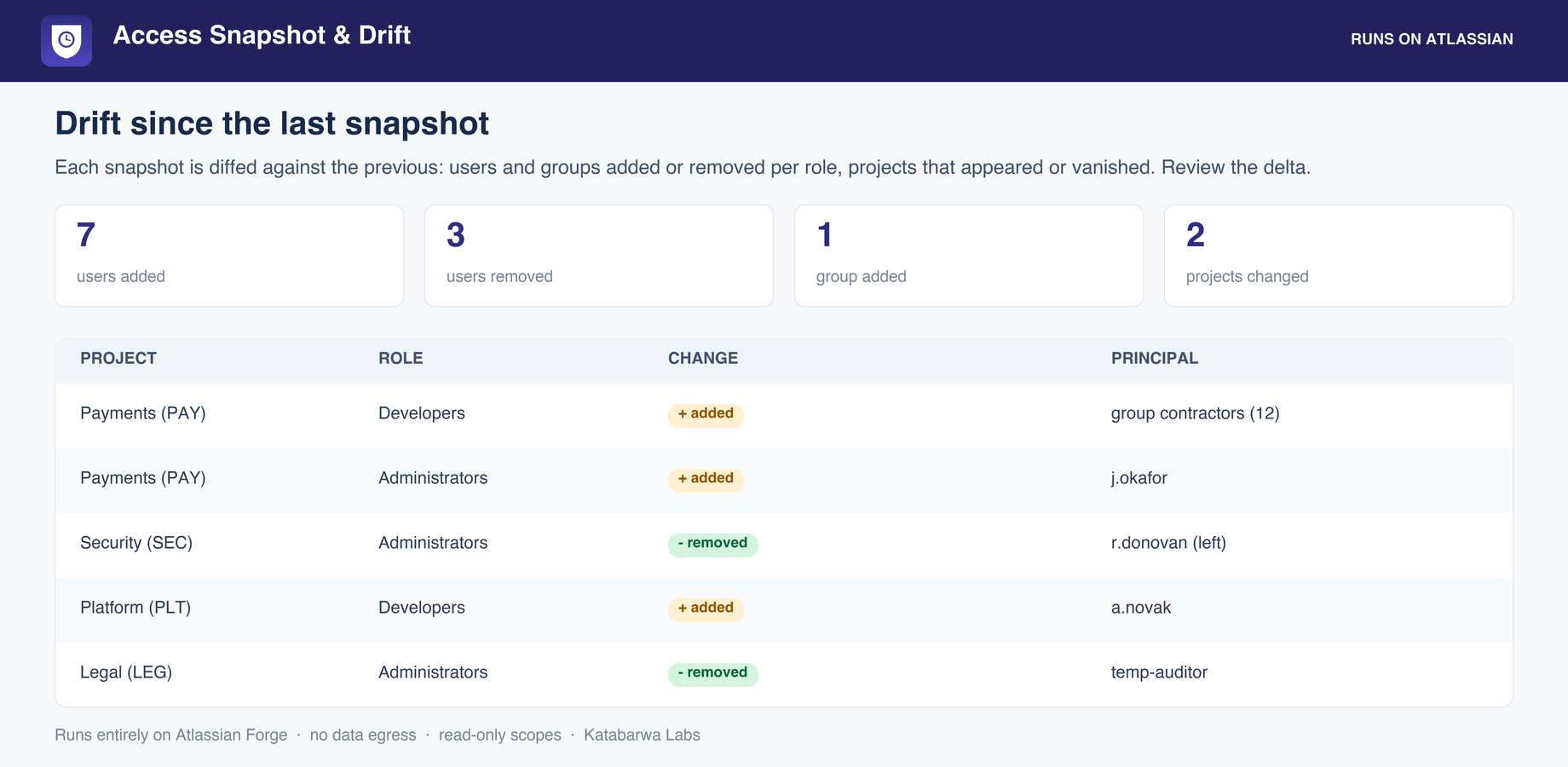
Drift as a delta: who was added or removed since the last run, per project and role.
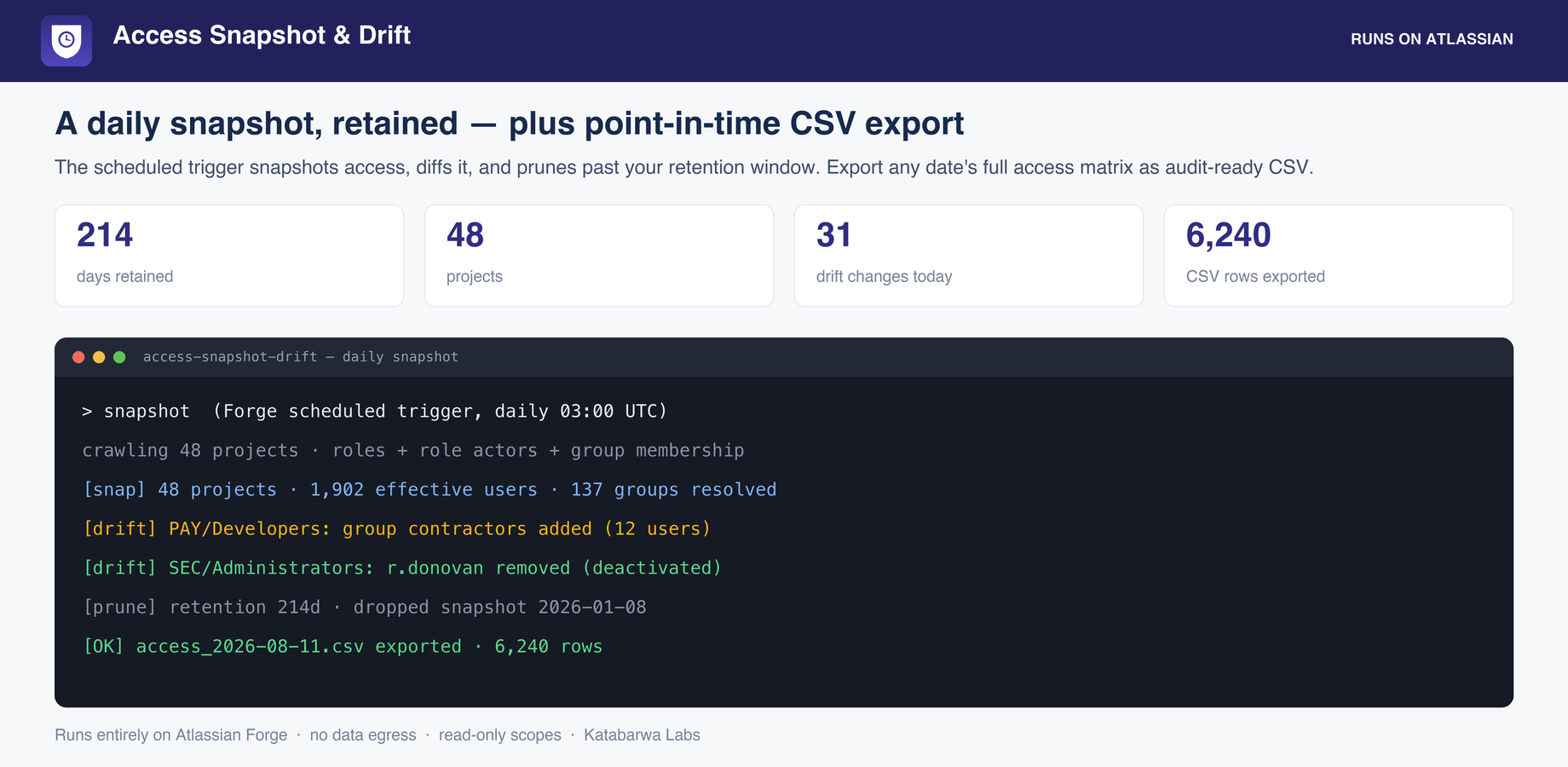
The daily scheduled snapshot crawls projects, expands groups, and prunes to your retention window.
60-second walkthrough
Honest about its limits
Security & permissions

Built on Atlassian Forge: the app runs on Atlassian's own serverless platform inside your tenant, stores its data in Forge storage, and makes no external network calls. Every scope it requests, and why:

read:jira-work projects, roles, and role actors
read:jira-user account details surfaced in the matrix
manage:jira-configuration the opt-in drift revert only; never used by the reporting path
storage:app the retained snapshot series, in your tenant
FAQ

Does any data leave my instance?

No. The app runs on Atlassian Forge inside your own tenant with zero external egress, which makes it eligible for Atlassian's "Runs on Atlassian" trust marker.

How is it billed?

Through the Atlassian Marketplace, on your existing Atlassian bill, priced per user like any Cloud app. The listing has a free evaluation and the exact calculator for your tier.

Where do I get support?

Email support@llmgraph.ai or open an issue from the documentation page. You talk directly to the people who build the app.

Install Access Snapshot & Drift in about a minute.

Free evaluation from the Marketplace listing. If it does not fit your workflow, tell us what would and we will build it.